Quick Summary
Most small businesses spend $700 to $5,000 to buy a copier outright, or $75 to $600+ a month to lease one, depending on speed, colour capability, and monthly volume. Leasing suits most mid- and high-volume offices because it spreads cost and bundles service into one predictable payment; buying tends to be cheaper over the machine’s life if you have the capital and print under roughly 10,000 pages a month. This guide adds specific 2026 model picks from Canon, Xerox, HP, Ricoh and Brother, a full lease-vs-buy comparison, a cost breakdown including per-page and maintenance costs, and a speed-and-volume guide to help you match a machine to your office size.
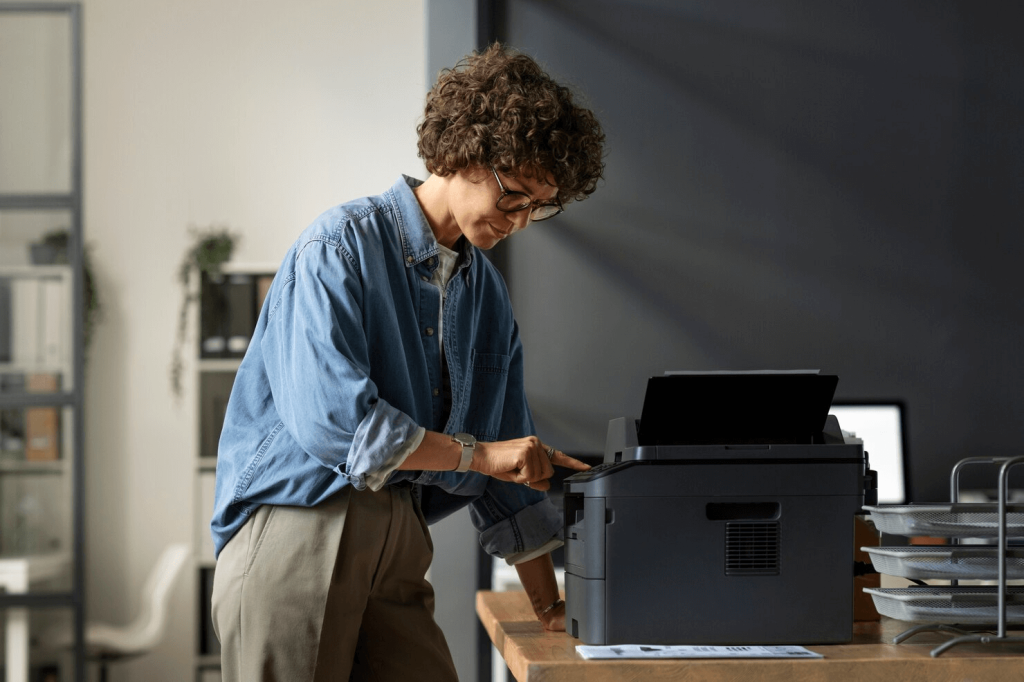
A reliable copier is an essential part of any business. Everyone is familiar with the consequences of a bad machine: inefficiencies, fewer backups of important documents, and operations that have slowed to a crawl. But many underestimate the benefits of a good machine. Where a poor purchasing decision significantly harms productivity, the right one can vastly improve it.
So how can you choose the best office printer/copier for your business’ needs? What should you look for when making your decision?
What Makes a Good Copier?
The best office copier will depend on your business’ size, workload, and budget. You will need to choose carefully – equipment is typically an expensive investment, and your employees could be stuck with the wrong choice for a long time. Here are some of the most important factors to consider:
Print Speed and Volume
If your office has high print demands, speed is crucial. Print speed is measured in pages per minute (PPM). For example, if a copier’s PPM is 20, that means it can print 20 pages in a minute. If your business has low print needs (for example, you mostly work digitally), then this may be an area you can afford to compromise on. If not, you will want to look for copiers with a higher PPM.
Print Quality
If you regularly print images or client-facing documents, then print quality will be a top priority. Look for one with high resolution, measured in dots per inch (DPI). These will produce crisp, clear results.
Multifunctionality
Chances are, your business needs more than just a basic copier. Equipment that only serves one purpose is a waste of time, taking up room that could be used more efficiently. The best small office printer/scanner/copier that you are able to get, on the other hand, provides triple the functionality while using the same space.
Learn more about multifunction printers
Paper Handling and Capacity
Think about the types of documents your office prints and copies. You may require a machine that can handle different materials or paper sizes, or one with a larger capacity. The best office printer/copier will support all the features you need.
Top 5 Office Copiers for Small Business in 2026
Based on 2026 buying-guide roundups and independent testing data, these five models cover the range most small and mid-size offices need, from a compact single-user machine to a workgroup MFP with heavier security features:
| Model | Type | PPM (approx.) | Price Range (CAD) | Best For |
|---|---|---|---|---|
| Brother MFC-L8900CDW | Compact colour MFP | ~33 | $720 to $900 | Micro office or home office (1 to 5 users) |
| HP LaserJet Pro MFP 4101fdw | Mono laser MFP with fax | ~35 to 40 | $500 to $700 | Budget-conscious small teams |
| Canon imageCLASS MF753Cdw | Colour laser MFP | ~28 | $1,100 to $1,500 | Small office needing colour (5 to 10 users) |
| Ricoh IM C3010 | Colour workgroup MFP | ~30 | $2,000 to $3,500 (or lease from approx. $150/mo) | Growing teams (10 to 25 users) |
| Xerox VersaLink C7030 | A4 colour MFP | ~30 | $3,000 to $5,000 | Mid-size office needing workflow and security features (25 to 50 users) |
Canon’s A3 lineup was named Keypoint Intelligence’s 2026 A3 Line of the Year, the print industry’s leading independent testing body, which is a useful reliability signal if image quality across a whole fleet matters to you. For pricing and current promotions, always confirm directly with the vendor or with NextGen Automation, as configurations and bundled service change frequently.
A few patterns are worth noting across this shortlist. Brother and HP dominate the entry-level, single-user segment because their running costs per page are lowest and their footprint is small enough for a desk or credenza. Canon’s strength has traditionally been image quality, which matters if your office regularly prints client-facing colour documents rather than internal memos. Ricoh and Xerox both step up in paper handling and finishing options, such as stapling and duplexing at higher volumes, which becomes worthwhile once you’re supporting more than about 15 people from one machine.
Copier Picks by Use Case
With so many options available, narrowing down the best office copy machines can be difficult. Here are a few options:
1. Best Small Office Laser Printer/Scanner/Copier:
Sharp MX-C358F
This all-in-one machine offers 33 PPM, 1,200 x 1,200 DPI, and robust security features – all in a compact frame designed to save space. However, the price is not readily available on Sharp’s website. You will need to ask for a quote to determine whether it is in your budget.
2. Best Budget-Friendly Option:
Canon Color imageCLASS MF656Cdw
This printer costs a bit less, but only provides a 22 PPM and lacks the security features of the HP machine. On the plus side, it does allow double-sided documents to be scanned and printed in a single pass, significantly speeding up the process.
3. Best for Large Workloads:
Xerox VersaLink C415 Color Multifunction Printer
Designed for larger workloads, this multifunction machine easily provides the most features so far – with copy, print, scan, fax, and email capacity. It also has the highest PPM at 42, and a user-friendly tablet interface. Unfortunately, these features make it roughly double the cost of the other options listed here.
There are, of course, many other options available. Take your time and ensure you have chosen the best office copier for your specific needs.
Copier Lease vs Buy: Which Is Right for You?
This is usually the bigger financial decision, even more than which brand you pick. Here’s how the two options compare directly:
| Factor | Leasing | Buying |
|---|---|---|
| Upfront cost | Little to none, typically a small deposit | Full purchase price, $700 to $5,000+ |
| Monthly payment | $75 to $600+/month depending on machine class | None, once purchased |
| Service and maintenance | Usually bundled into the lease | Billed separately or under a maintenance contract |
| Upgrade flexibility | Easy to upgrade at end of term (typically 36 to 60 months) | You own the equipment as it ages |
| Total cost over 5 years | Generally higher, but predictable | Generally lower if usage is stable and machine is well maintained |
| Best for | Growing businesses, higher print volumes, tight cash flow | Stable, low-volume offices with capital on hand |
As a rule of thumb: if you print under roughly 10,000 pages a month and have the capital available, buying is usually cheaper over the equipment’s life. Above that volume, or if you’d rather have one predictable monthly line item that includes service, leasing is generally the better fit. NextGen Automation’s short-term rental program is also worth considering for seasonal or project-based needs that don’t justify a multi-year commitment either way.
It’s also worth factoring in how your business is likely to change over the lease term. A five-year lease locked to today’s headcount and print volume can become a poor fit if you double in size, or shrink, well before the term ends. Ask any provider what it costs to upgrade mid-term, and whether you can swap in a different model if your needs shift, before signing anything longer than three years.
Office Copier Cost Breakdown
The sticker price or lease rate is only part of the total cost. Budget for these four components:
- Purchase price: $700 to $5,000 for small-office MFPs, rising to $5,000 to $40,000+ for high-volume or production-grade machines.
- Lease rates: typically $75 to $600+ a month, scaled to machine class, print volume, and contract length (usually 36 to 60 months).
- Per-page costs: monochrome pages typically run 1 to 3 cents each, colour pages run 5 to 12 cents each, depending on the machine and toner yield.
- Maintenance contracts: usually structured as either a flat monthly service fee or a cost-per-copy (CPC) agreement that bundles toner, parts, and technician visits into the per-page rate.
A cost-per-copy contract is often the simplest way to budget accurately, since it turns nearly all your ongoing costs into a single predictable per-page rate rather than a mix of separate toner and service bills.
One more cost to plan for is what happens at the end of the machine’s life or lease term. Owned machines have some resale or trade-in value if kept in good condition, though it’s usually modest, often 10 to 20% of the original price after five years. Leased machines are simply returned, which is part of why leasing appeals to businesses that would rather not manage disposal or worry about a copier becoming obsolete on their own balance sheet.
Copier Speed & Volume Guide
Matching machine speed to your actual print volume avoids both under-buying (constant bottlenecks) and over-buying (paying for capacity you’ll never use):
| Business Size | Typical Monthly Volume | Recommended PPM | Suggested Tier |
|---|---|---|---|
| 1 to 5 employees | Under 1,000 pages | 20 to 25 PPM | Personal or compact desktop MFP |
| 5 to 15 employees | 1,000 to 5,000 pages | 25 to 35 PPM | Entry-level office MFP |
| 15 to 30 employees | 5,000 to 15,000 pages | 35 to 45 PPM | Mid-range workgroup MFP |
| 30 to 75 employees | 15,000 to 40,000 pages | 45 to 65 PPM | Departmental workgroup MFP |
| 75+ employees | 40,000+ pages | 65+ PPM | Multiple units or a production-class device |
These are starting points, not hard rules. A design studio with five people printing large-format proofs all day has very different needs than a five-person bookkeeping office that prints only invoices, even though both count as “5 employees.” Use monthly page volume, not headcount alone, as your primary guide, and treat the PPM column as a floor rather than a target, since a machine running near its maximum rated speed all day will wear out faster than one with some headroom.
Questions to Ask Before Purchasing
Before making your final decision, you must ask yourself several important questions:
1. How Many People Will Use the Copier?
The size of your team will determine what kind of copier you need. Smaller businesses can likely get away with a cheaper machine, while a larger one may need the additional functionality that more high-end options provide.
2. What’s the Total Cost of Ownership?
Beyond the initial purchase price, consider the long-term costs of toner, maintenance, and potential repairs. Compare these against your current budget, and be sure to account for possible financial changes in the future.
3. What Features Are Essential for Your Business?
Do you need color printing? High-volume scanning? The ability to print on different sizes and materials? Identifying your must-have features will help narrow down the list.
4. How Important is Security?
If your business is in a highly-regulated industry, or handles sensitive data, look for copiers with robust security features and regular firmware updates.
5. What Kind of Support and Warranty is Included?
Check the manufacturer’s warranty and customer support options. The last thing you need is to be left in the cold the first time a machine breaks.
Make sure you read this before choosing your office printer/copier
Expert Support to Find the Best Office Copier for Your Business
Between budgetary concerns and addressing everyone’s needs, purchasing new office equipment is always a challenge. Attempting to translate the terms printer vendors use – such as PPM, DPI, and cost per page – into the tangible benefits for your business adds an extra level of difficulty, making it feel impossible. But with the right information in hand, you will be able to choose the best small office printer/copier for your needs and ensure high efficiency in the future.
If you need help handling your office printers, NextGen Automation has the solution. We take care of everything from maintenance and parts to everyday ink costs, letting your staff work with true peace of mind. Discover our end-to-end managed print services to get started.
FAQs
What is the difference between PPM and DPI, and which matters more?
Both metrics are critical but serve different purposes.
PPM (Pages Per Minute) measures the speed of the machine; a higher PPM is essential for high-volume offices to prevent “bottlenecks” at the printer.
DPI (Dots Per Inch) measures print resolution or quality. If your business primarily prints text-based internal memos, a lower DPI is acceptable. However, if you produce client-facing marketing materials or detailed architectural drawings, a high DPI (1200 x 1200 or more) is necessary for crisp, professional results.
What are the “hidden costs” associated with owning an office copier?
The sticker price of a copier is only one part of the financial picture. To understand the Total Cost of Ownership (TCO), you must account for:
Consumables: The ongoing cost of toner cartridges, drums, and fuser units.
Paper Capacity: Smaller trays require more frequent manual labor to refill, impacting productivity.
Maintenance Contracts: Professional servicing to prevent long-term breakdowns.
Why should a business prioritize security features in a modern copier?
Modern copiers are essentially specialized in computers connected to your network, making them potential entry points for hackers. A secure copier should offer:
Data Overwrite: Automatically erasing the hard drive after a print job is completed to prevent sensitive data theft.
User Authentication: Requiring a PIN or ID badge to release a print job, ensuring documents aren’t left sitting in the output tray.
Encrypted PDF Scanning: Securing files as they are sent from the scanner to an email address or cloud folder.
How do I determine if my business needs a Color or Monochrome (B&W) copier?
While color copiers offer more versatility, they typically have a higher “cost per page” due to the need for four different toner cartridges (CMYK). If 95% of your printing is accounting for spreadsheets or legal contracts, a high-speed monochrome machine is much more cost-effective. However, if you frequently print presentations or brochures, a color machine is a necessity.
Is it better to lease or purchase an office copier?
This depends on your capital and technology needs. Purchasing gives you full ownership and may offer tax benefits, but you are responsible for all repairs and eventually own an obsolete machine. Leasing (typically 3–5 years) allows you to preserve cash flow and easily upgrade to the latest technology at the end of the term. Most leases also include a “Maintenance Agreement,” which bundles the cost of toner and repairs into one predictable monthly payment.
How much does it cost to lease a copier for a small business?
Small-office leases typically run $75 to $250 a month for compact colour MFPs, rising to $250 to $600+ a month for higher-volume workgroup machines, usually on a 36 to 60 month term with service included.
What is a cost-per-copy (CPC) contract and is it worth it?
A CPC contract bundles toner, parts and technician visits into a single per-page rate, so your monthly cost scales directly with how much you actually print. It’s generally worth it for any business that wants predictable budgeting without tracking toner separately.
Can I negotiate copier lease terms with a provider?
Yes. Page allowances, overage rates, service response times, and early upgrade options are all commonly negotiated. It’s reasonable to ask for a lower per-page overage rate or a shorter minimum term, especially if you’re bundling multiple machines or signing a multi-year managed print agreement.
Both metrics are critical but serve different purposes.
PPM (Pages Per Minute) measures the speed of the machine; a higher PPM is essential for high-volume offices to prevent “bottlenecks” at the printer.
DPI (Dots Per Inch) measures print resolution or quality. If your business primarily prints text-based internal memos, a lower DPI is acceptable. However, if you produce client-facing marketing materials or detailed architectural drawings, a high DPI (1200 x 1200 or more) is necessary for crisp, professional results.
The sticker price of a copier is only one part of the financial picture. To understand the Total Cost of Ownership (TCO), you must account for:
Consumables: The ongoing cost of toner cartridges, drums, and fuser units.
Paper Capacity: Smaller trays require more frequent manual labor to refill, impacting productivity.
Maintenance Contracts: Professional servicing to prevent long-term breakdowns.
Modern copiers are essentially specialized in computers connected to your network, making them potential entry points for hackers. A secure copier should offer:
Data Overwrite: Automatically erasing the hard drive after a print job is completed to prevent sensitive data theft.
User Authentication: Requiring a PIN or ID badge to release a print job, ensuring documents aren’t left sitting in the output tray.
Encrypted PDF Scanning: Securing files as they are sent from the scanner to an email address or cloud folder.
While color copiers offer more versatility, they typically have a higher “cost per page” due to the need for four different toner cartridges (CMYK). If 95% of your printing is accounting for spreadsheets or legal contracts, a high-speed monochrome machine is much more cost-effective. However, if you frequently print presentations or brochures, a color machine is a necessity.
This depends on your capital and technology needs. Purchasing gives you full ownership and may offer tax benefits, but you are responsible for all repairs and eventually own an obsolete machine. Leasing (typically 3–5 years) allows you to preserve cash flow and easily upgrade to the latest technology at the end of the term. Most leases also include a “Maintenance Agreement,” which bundles the cost of toner and repairs into one predictable monthly payment.
Small-office leases typically run $75 to $250 a month for compact colour MFPs, rising to $250 to $600+ a month for higher-volume workgroup machines, usually on a 36 to 60 month term with service included.
A CPC contract bundles toner, parts and technician visits into a single per-page rate, so your monthly cost scales directly with how much you actually print. It’s generally worth it for any business that wants predictable budgeting without tracking toner separately.
Yes. Page allowances, overage rates, service response times, and early upgrade options are all commonly negotiated. It’s reasonable to ask for a lower per-page overage rate or a shorter minimum term, especially if you’re bundling multiple machines or signing a multi-year managed print agreement.
Com Pro is now NextGen Automation
Same Vancouver team, now with the reach of NextGen Automation across Western Canada. Looking for a new copier or multifunction printer? Tell us how your office works and we will put together a quote.