
The World Cup is one of the biggest sporting events in the world, and in 2026, the excitement is even closer to home. With Canada, Mexico, and the United States hosting the tournament, fans across the country are already thinking about tickets, travel, hotels, watch parties, merchandise, and match-day plans.
Unfortunately, cybercriminals are preparing too.
Major events create the perfect environment for scams. People are excited, tickets are limited, prices can change quickly, and many fans are willing to act fast when they see what looks like a good opportunity. That urgency is exactly what scammers use to their advantage.
From fake ticket websites to phishing emails, fraudulent travel offers, QR code scams, and fake streaming platforms, World Cup-related scams can affect both individuals and businesses. For companies, these scams are also a reminder that cybersecurity is not only an IT issue. It is a people issue, a process issue, and a business risk.
Why World Cup scams target businesses
Scammers often follow attention. When a major event dominates the news, search results, social media, and email inboxes, criminals use that momentum to create messages and offers that look timely and believable.
During large events like the World Cup, people may be more likely to:
- Click on links promising last-minute tickets
- Search online for game schedules, streams, and highlights
- Scan QR codes for promotions or event information
- Open emails that appear to come from official sources
- Buy from social media sellers or unofficial websites
- Book rentals, hotels, or travel packages quickly
- Share payment or personal information without verifying the source
For businesses, the risk is not limited to employees buying tickets. If an employee uses a company device or company network to visit a fake website, download a malicious file, or enter credentials into a fraudulent page, that activity can put the entire organization at risk.
A scam can enter the workplace through a phishing email, a fake invoice, a malicious link, a compromised account, or a personal device used for work. One click can create a larger security issue.
Common World Cup scams to watch for
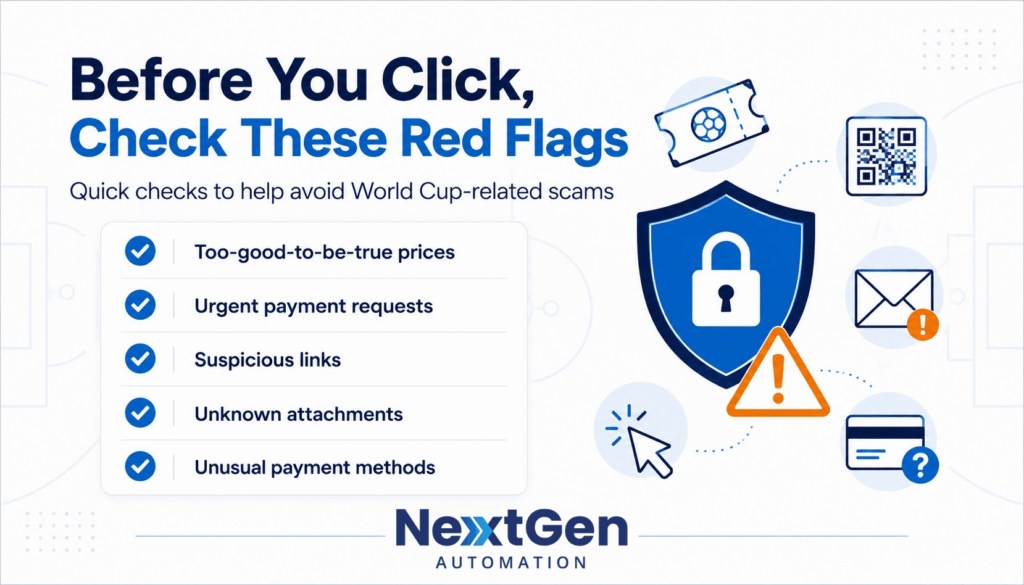
World Cup scams can look professional, timely, and convincing. Here are some of the most common threats Canadian businesses and employees should watch for.
1. Fake ticket websites
Ticket scams are one of the most common risks around major sporting events. Scammers may create websites that look professional, use tournament-related language, and offer tickets that appear legitimate.
Before buying, fans should verify that they are using official or trusted ticketing channels. Be especially cautious with websites shared through social media ads, text messages, WhatsApp, or direct messages.
2. Counterfeit or duplicate tickets
Some scammers may sell tickets that are fake, already used, duplicated, or not transferable. The seller may pressure the buyer to act quickly, pay upfront, or move the conversation away from a secure platform.
A good rule: if the deal feels too good to be true, it probably deserves a second look.
3. Phishing emails and text messages
Cybercriminals may send emails or texts that look like official tournament updates, ticket confirmations, prize notifications, travel alerts, account verification requests, or payment reminders.
These messages may ask recipients to click a link, download an attachment, confirm account details, or enter payment information. In a business setting, phishing emails can also be designed to look like HR announcements, client invitations, vendor invoices, internal event communications, or company watch party updates.
4. Fake travel packages and short-term rentals
With fans travelling between host cities, scammers may promote fake hotels, rentals, transportation packages, parking passes, or exclusive travel deals. Some may ask for deposits before arrival or push payment methods that are difficult to recover.
Before booking, verify the provider, check reviews carefully, and avoid sending money through unusual payment methods.
5. Fake giveaways and contests
Scammers often use major events to promote fake giveaways for tickets, merchandise, VIP experiences, or travel packages. These posts may ask users to share personal information, click a link, tag friends, or pay a small “processing fee” to claim a prize.
Legitimate contests should clearly identify the company running the promotion and provide clear terms and conditions.
6. Fake streaming platforms and malicious links
Many fans search online for ways to watch games live, especially if they are travelling or do not have access to their usual TV provider. Cybercriminals know this and often create fake streaming websites designed to attract people searching for terms like “watch World Cup live free” or “free World Cup stream.”
These sites may:
- Ask users to create an account and enter personal information
- Request credit card details for a “free trial”
- Display excessive pop-ups and advertisements
- Redirect visitors to malicious websites
- Prompt users to download software, browser extensions, or media players
- Install malware that can steal passwords or monitor activity
Businesses should remind employees not to use work devices or company networks to access suspicious streaming sites. If an employee visits a fake streaming website on a company laptop or while connected to the corporate network, malware or credential theft could expose company systems, data, and accounts to unnecessary risk.
How managed IT services help reduce scam risk
Managed IT services can help businesses reduce cyber risk by keeping systems monitored, updated, and supported. This is especially important for small and mid-sized businesses that may not have a large internal IT team.
A managed IT provider can help with:
- Proactive monitoring
- Security updates and patch management
- Endpoint protection
- Email security
- Backup and disaster recovery
- Microsoft 365 security settings
- User access management
- Cybersecurity awareness support
- Incident response planning
For Canadian businesses, managed IT services can provide the ongoing structure needed to reduce risk before, during, and after major events like the World Cup.
What to do if an employee clicks a suspicious World Cup link
If someone on your team clicks a suspicious link, downloads a file from a questionable streaming site, or enters information into a suspicious website, do not ignore it. Acting quickly can help reduce the impact.
Here are the first steps:
- Do not enter any more information.
- Close the page or message.
- Disconnect from the website and stop any downloads.
- Change the password if login information was entered.
- Report the message or website to your IT team or managed IT provider.
- Monitor accounts for unusual activity.
- If a work device may be affected, disconnect it from the network and ask IT for guidance.
- Report suspected fraud to the appropriate authorities.
The faster a suspicious message or website is reported, the easier it is to investigate and contain the risk.
- What are the most common World Cup 2026 scams?
The most common World Cup 2026 scams include fake ticket websites, counterfeit or duplicate tickets, phishing emails and texts, fraudulent travel and rental packages, fake giveaways, and malicious "free stream" sites designed to steal information or install malware.
- How do managed IT services reduce World Cup scam risk?
Managed IT services reduce risk through proactive monitoring, patching, endpoint protection, email security, backups, Microsoft 365 hardening, user access management, and employee awareness — ongoing protection before, during, and after major events.
- What should a business do if an employee clicks a suspicious link?
Stop entering information, close the page, and end any downloads. Change the password if credentials were entered, report it to your IT team or managed IT provider, monitor accounts, disconnect any affected work device from the network, and report suspected fraud to the authorities.
- Are free World Cup streaming sites safe to use?
Often not. Many "watch free" streaming sites display excessive pop-ups, request credit card details for a "free trial," redirect to malicious pages, or prompt downloads that install malware. Employees should never access them on work devices or company networks.
Final whistle: enjoy the tournament, but stay alert
The World Cup should be exciting, memorable, and fun. But major events also create opportunities for cybercriminals to take advantage of urgency, emotion, and high demand.
Whether employees are buying tickets, booking travel, searching for games online, using a streaming platform, planning a company watch party, or simply following the tournament online, it is important to verify before clicking, scanning, downloading, or paying.
Need help protecting your business from phishing, scams, and cyber threats?
NextGen Automation helps Canadian businesses strengthen their cybersecurity, managed IT, endpoint protection, backup, email security, and employee awareness strategies.
Book a cybersecurity assessment with our team and make sure your business is ready before the next threat gets through.